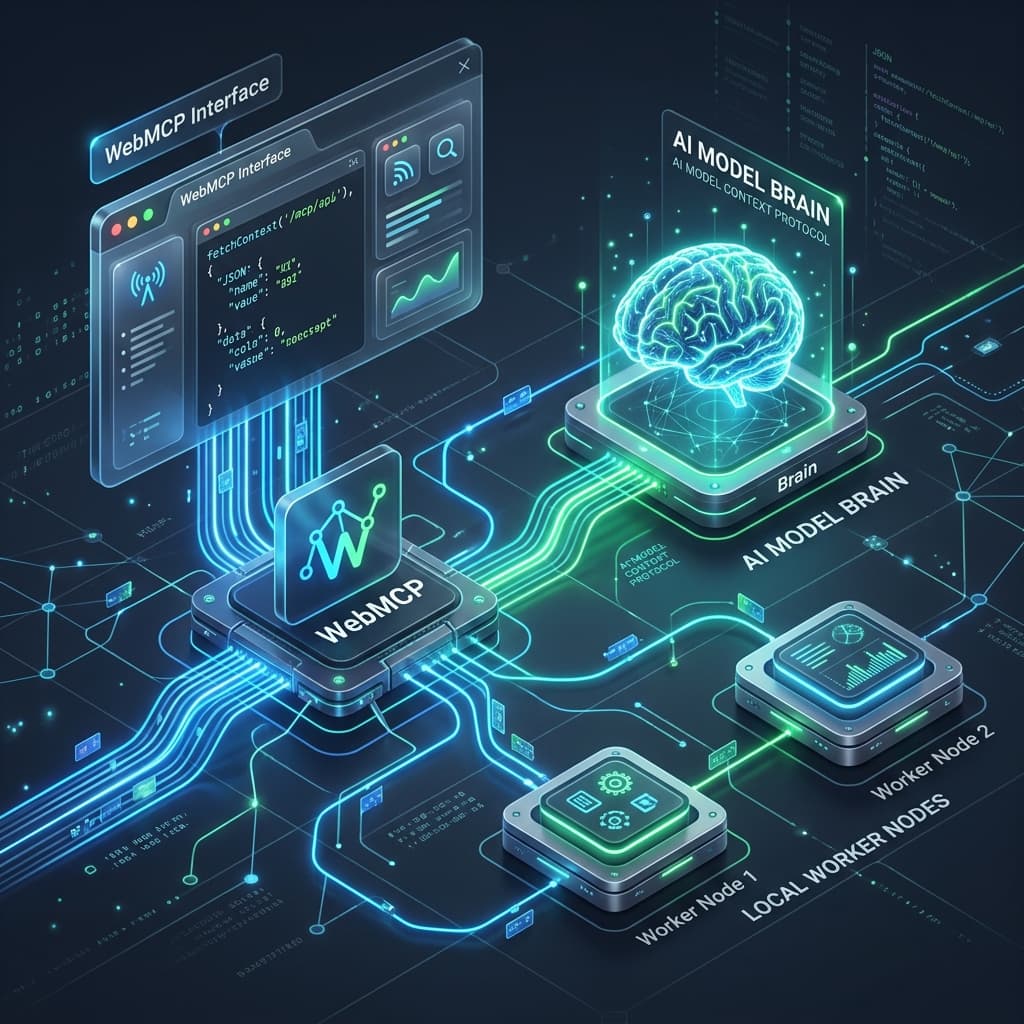
Model Context Protocol (MCP) has emerged as the open standard for connecting LLM applications to external tools, data sources, and services. Originally designed for local desktop integration via process input/output (stdio), the next frontier is WebMCP—extending MCP to run directly over the web and browser runtimes.
WebMCP enables web applications to act as first-class tool repositories and context providers for AI agents, using standard web transport protocols like HTTPS, Server-Sent Events (SSE), and WebSockets.
The WebMCP Architecture
In a standard local MCP setup, the host application (like a desktop IDE or terminal) spawns the MCP server as a subprocess. In WebMCP, the relationship is bridged over the web, making the browser both a client that connects to remote tools and a server that exposes page-level capabilities to agents.
Process-Bound Tools
MCP servers spawn as local child processes. Communication is locked to the host OS via standard input/output (stdio) pipelines.
Web-Native Capabilities
MCP endpoints are exposed over the web. Agents discover tools via well-known manifests and execute them using HTTPS/SSE/WebSockets.
Discovery via mcp.json
WebMCP clients locate tools and capabilities on a host website via a standardized discovery manifest exposed at a well-known path: /.well-known/mcp.json.
This site, for example, registers an MCP manifest exposing tools for querying and listing Heritage Kitchen recipes. Here is how the manifest is structured:
{
  "mcpVersion": "1.0",
  "tools": [
    {
      "name": "list_recipes",
      "description": "List all recipes available in Heritage Kitchen",
      "inputSchema": {
        "type": "object",
        "properties": {}
      },
      "url": "https://perumalpalani-site.web.app/api/mcp/recipes?action=list"
    },
    {
      "name": "get_recipe",
      "description": "Get full details of a specific recipe by slug",
      "inputSchema": {
        "type": "object",
        "properties": {
          "slug": {
            "type": "string",
            "description": "The slug identifier of the recipe (e.g. 'rasam')"
          }
        },
        "required": ["slug"]
      },
      "url": "https://perumalpalani-site.web.app/api/mcp/recipes?action=get"
    }
  ]
}
By declaring this link in the document head (<link rel="mcp-manifest" href="/.well-known/mcp.json" />), web crawlers and browser-based AI agents can discover the site's capabilities dynamically during browsing sessions.
Implementing a WebMCP Server in Next.js
Exposing a WebMCP tool is as simple as creating an HTTP API route handler that adheres to the tool's input schema. Here is a modular route handler in Next.js that processes the get_recipe and list_recipes tools:
import { NextResponse } from "next/server";
import { RECIPES } from "@/lib/recipe-data";

export async function GET(request: Request) {
  const { searchParams } = new URL(request.url);
  const action = searchParams.get("action");

  if (action === "list") {
    const list = RECIPES.map(r => ({ name: r.name, slug: r.slug, tags: r.tags }));
    return NextResponse.json({ success: true, tools: list });
  }

  if (action === "get") {
    const slug = searchParams.get("slug");
    const recipe = RECIPES.find(r => r.slug === slug);
    if (!recipe) {
      return NextResponse.json({ success: false, error: "Recipe not found" }, { status: 404 });
    }
    return NextResponse.json({ success: true, recipe });
  }

  return NextResponse.json({ error: "Invalid action" }, { status: 400 });
}
Running MCP Servers Directly inside the Browser
Running WebMCP is not limited to remote HTTP endpoints. With the advent of browser-native runtimes, developers can run complete MCP servers locally inside the user's browser tab.
By using Web Workers, an in-browser MCP server can run side-by-side with the web application, communicating via postMessage or WebSockets:
- DOM Inspector MCP: Lets an agent read the user's current webpage structure and modify styled elements in real time.
- IndexedDB / State MCP: Exposes client-side offline database tables to the agent for data visualization.
- OffscreenCanvas Render MCP: Feeds canvas drawing contexts to an image-analysis LLM to verify UI rendering layout.
This allows developers to build self-contained agentic playgrounds directly in standard HTML/JS, requiring zero server-side setup or database costs.
Security Considerations
Exposing tools to AI agents running on the client side introduces critical security challenges:
- CORS Policies: WebMCP endpoints must enforce secure Cross-Origin Resource Sharing (CORS) configurations, limiting connections strictly to trusted agent gateways.
- Client Authorization / The UI Firewall: Sensitive tools (such as posting messages, editing code files, or making payment transactions) must require explicit user approval. When the agent dispatches a tool call, the WebMCP server triggers an interactive dialog overlay, pausing execution until the user clicks "Approve".
- Prompt Injection Defense: Tool inputs must be strictly validated. The WebMCP server should treat all incoming inputs from LLM agents as untrusted user inputs, validating types, sanitizing strings, and checking limits.
Summary
WebMCP represents the convergence of Model Context Protocol and standard web platforms. By exposing tools via simple JSON manifests and HTTP/SSE/WebSocket endpoints, web applications become programmable agent environments, enabling browser-native agent experiences that are fast, secure, and infinitely composable.